Best Looker Studio Alternatives in 2026 for AI-Ready Analytics

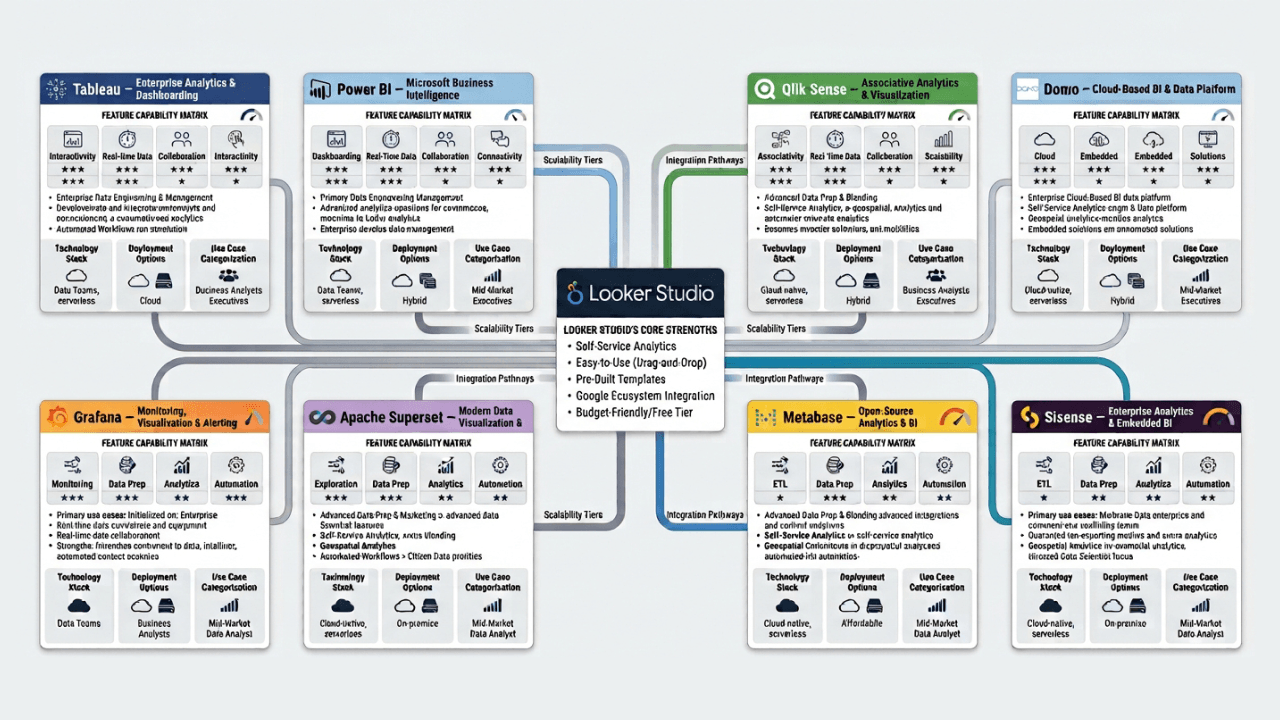
The strongest Looker Studio alternatives in 2026 span enterprise platforms like Power BI and Tableau, open-source options like Metabase, and AI-ready solutions like Domo that push governed insights to frontline workers. In this guide, we'll break down each platform's governance capabilities, pricing models, and ideal use cases, then provide a migration playbook for teams ready to make the switch.
Quick summary of Looker Studio alternatives
Microsoft Power BI, Tableau, Domo, Metabase, Qlik Sense, Sisense, Zoho Analytics, and Databox represent the strongest Looker Studio alternatives in 2026. Each addresses different gaps depending on your data architecture, governance needs, and how you distribute insights across your organization.
- Microsoft Power BI: Teams standardized on Microsoft 365 and Azure
- Tableau: Organizations prioritizing complex visual storytelling
- Domo: Distributing governed insights to frontline workers and AI agents
- Metabase: Technical startups preferring to self-host
- Qlik Sense: Analysts conducting root-cause analysis across interrelated datasets
- Sisense: Software companies embedding analytics into customer-facing products
- Zoho Analytics: Budget-conscious small businesses
- Databox: Marketing teams needing simple KPI scorecards
Why teams look for Looker Studio alternatives
A department leader pulls up a dashboard showing one revenue number. Finance's report shows something completely different. Same data, different answers. This happens because calculated fields get defined inconsistently across disconnected sources, and Looker Studio has limited ways to enforce a single set of metric definitions across all reports.
These operational fractures point to specific capability gaps:
- Conflicting metrics: Requires a semantic layer with centralized definitions
- No row-level security: Requires personalized data permissions to restrict access by role
- Manual refresh monitoring: Requires service-level agreement (SLA) alerting for pipeline health
- Version control gaps: Requires audit-logged change tracking for compliance
- Connector instability: Requires managed, first-party integrations
Once you support more than 10 report consumers, these gaps become operational risks. Regulated industries hit these limitations faster. Embedded analytics use cases hit them faster still.
{{custom-cta-1}}
How tools were selected for this list
The platforms here were evaluated against strict operational criteria: analyst validation through Gartner, Forrester, G2, and Capterra research; hands-on testing of governance features; connector audits against common data stacks; and total cost of ownership modeling across deployment scenarios.
Domo appears in this list and was evaluated using the same criteria as every other tool. This reflects platform capabilities as of early 2026.
Top Looker Studio alternatives
Microsoft Power BI for enterprise data modeling
Already running on Microsoft 365 and Azure? Power BI slots in naturally. Power BI provides a governed semantic layer through its tabular model. Teams define metrics once and reuse them securely across every report.
Power BI builds row-level and object-level security directly into the model rather than adding it later. This fits compliance-heavy industries and teams needing Microsoft Fabric integration for lakehouse workloads.
Pricing starts low with the Pro tier, but applying row-level security on large models requires Premium capacity. Teams using BigQuery as their primary warehouse may run into more setup friction, including configuring a gateway. You'll often need a gateway.
Tableau for advanced visualization
Some teams treat polished, interactive visual storytelling as their primary deliverable. Tableau serves this exact need with visualization depth that basic reporting tools can't match.
The VizQL (visual query language) engine enables complex visual exploration while Hyper extracts handle massive datasets without query timeouts. Creator licenses carry a high price tag. The choice between Server and Cloud deployments affects total cost significantly.
The learning curve is steeper than Looker Studio. Governance features like projects, permissions, and Catalog require deliberate technical setup. Teams that pass over this step often end up with the same inconsistent metrics problem they were trying to escape.
Domo for AI agents and governed distribution
Building dashboards is rarely the bottleneck anymore. Getting governed insights into the hands of frontline decision-makers? That's where things break down. Sales reps, store managers, field technicians: they rarely log into traditional BI tools.
Domo addresses this by delivering governed outcomes into the tools people already use, including mobile experiences, embedded apps, and automated workflows. Personalized Data Permissions provide row-level security that travels with the data through embedded apps, mobile interfaces, and AI agents. Humans set objectives, permissions, and constraints, and AI agents execute within those boundaries with human-in-the-loop oversight. This matches a broader shift toward AI systems collaborating as partners.
Platform pricing scales with data volume and connector usage rather than seats. This encourages broad distribution, but it requires scoping your data footprint upfront.
{{custom-cta-2}}
Metabase for open-source self-service
Vendor lock-in keeps technical founders awake at night. Metabase offers an open-source solution with a clean, SQL-native interface that lets startups and internal tools teams maintain infrastructure control.
The Models feature offers a lightweight semantic layer for standardizing metrics. Open-source is free. Your team owns the infrastructure and maintenance. Pro and Enterprise tiers add single sign-on, row-level security, and embedding.
Self-hosting means your team owns uptime. Metabase lacks a managed connector ecosystem for SaaS applications, so you generally query your database directly. This works well if your data already lives in a centralized warehouse but creates friction if you're pulling from dozens of cloud apps.
Qlik Sense for associative exploration
Hours spent writing complex SQL joins to answer ad-hoc questions. Sound familiar?
Qlik Sense lets you explore data relationships without predefined paths. The associative engine allows clicking any data point to instantly see related and unrelated values across all tables. This fits root-cause analysis workflows and supply chain operations where the question you need to answer changes every hour.
Pricing structures differ between SaaS and client-managed deployments. The learning curve is steeper than SQL-based tools. And here's something you'll notice in practice: the associative model requires clean data modeling to function correctly. Messy source data produces misleading associations that can send analysts down the wrong path.
Sisense for embedded analytics
Software companies frequently need to embed analytics into their own products. Embedded analytics has become central to SaaS product differentiation and monetization. Sisense focuses on embedding analytics with application programming interfaces (APIs), software development kits (SDKs), and web components built for original equipment manufacturer (OEM) use.
Multi-tenant architecture ensures per-customer data isolation.
OEM licensing scales with customer count. Implementation requires dedicated developer resources. Far too much complexity for basic internal analytics.
Zoho Analytics for budget-friendly BI
Small marketing or finance teams eventually outgrow spreadsheets but can't justify enterprise pricing. Zoho Analytics fills this gap.
It offers a more polished interface than Looker Studio and includes an AI assistant for natural language queries. Per-user cost stays low. But connector limits and row limits vary by tier. Check these carefully before committing, as hitting a row limit mid-quarter forces an unplanned upgrade.
Databox for simple KPI scorecards
Marketing managers often just want a TV dashboard with key performance indicator (KPI) scorecards for real-time campaign performance. That's it. Databox delivers simple metrics monitoring quickly with pre-built connector packs and templates.
Affordable for small teams. Data source limits can force upgrades quickly. This isn't a governed BI platform: no semantic layer, limited data modeling, no row-level security. Teams that start here often outgrow it within a year.
Feature comparison across Looker Studio alternatives
A semantic layer centralizes metric definitions so calculations stay consistent. Row-level security ensures people only see data they're authorized to view. Single sign-on (SSO) and Security Assertion Markup Language (SAML) support help centralize authentication and access control.
Total cost of ownership beyond license fees
Many teams assume that because Looker Studio is free, any alternative will be drastically more expensive. Total cost involves much more than sticker price.
- Creator vs viewer seats: Some tools charge per creator, others per viewer, others by capacity.
- Premium tiers: Row-level security and large models often require premium SKUs.
- Connector fees: Third-party connectors add recurring costs.
- Warehouse compute: Live queries push costs to your data warehouse.
Consider a team of five creators and 50 viewers on Power BI Pro paying predictable per-user fees. If that team needs row-level security on a massive dataset, they must upgrade to Premium capacity. The cost structure changes entirely.
If your reports use live queries against a cloud warehouse, expect warehouse compute to dominate costs regardless of which BI tool you choose.
How to choose a Looker Studio alternative
The right tool depends on your cloud stack, governance requirements, and who needs access to insights.
Run a proof-of-concept with your actual data before committing. Test governance features first. Row-level security and audit logs are harder to retrofit than visualizations.
Migration playbook from Looker Studio
Teams underestimate migration because they count dashboards, not the calculated fields and tribal knowledge embedded in them. That tribal knowledge? It's where migrations can start to go sideways.
- Inventory reports, data sources, calculated fields, and blended sources.
- Map which connectors have native equivalents versus require third-party solutions.
- Document how each calculated field is defined to surface inconsistencies.
- Design your semantic model to define metrics once.
- Configure row-level security to replace filter-based workarounds.
- Set refresh SLAs and alerting for pipeline failures.
- Migrate in phases, starting with high-value, low-complexity reports.
Simple migrations (under 20 reports) take days. Moderate migrations (up to 100 reports) take weeks. Complex migrations with heavy blending take months. Rushing to recreate dashboards before establishing a semantic layer just recreates the same inconsistency problems in a new tool.
When Looker Studio is still the right choice
Not every team needs to migrate. Looker Studio remains reasonable when your data lives entirely in BigQuery and Google Sheets, your audience is small and internal, your dashboards are simple KPI summaries, and budget is zero with no embedded analytics requirements.
If all four apply, stay with Looker Studio. If any one does not, evaluate alternatives. And if you want to see what governed distribution and AI-ready analytics looks like with your own data, get a demo.
Key takeaways
If the team is outgrowing Looker Studio, focus on governance first, then visuals.
- Semantic layers reduce metric drift by defining calculations once.
- Row-level security keeps distribution broad without duplicating reports.
- Connector reliability and refresh alerting often drive hidden operating costs.
- For AI-assisted analytics, prioritize human-in-the-loop controls and governed permissions.