Intro
This article explains the AI settings available in the Admin Settings, including how to enable generative AI for your instance, bring your own models to product features, and manage model providers.
Access AI Settings
Go to the Admin tab in the left navigation, then select AI Service Layer > AI Settings.
Generative AI Enabled for Instance
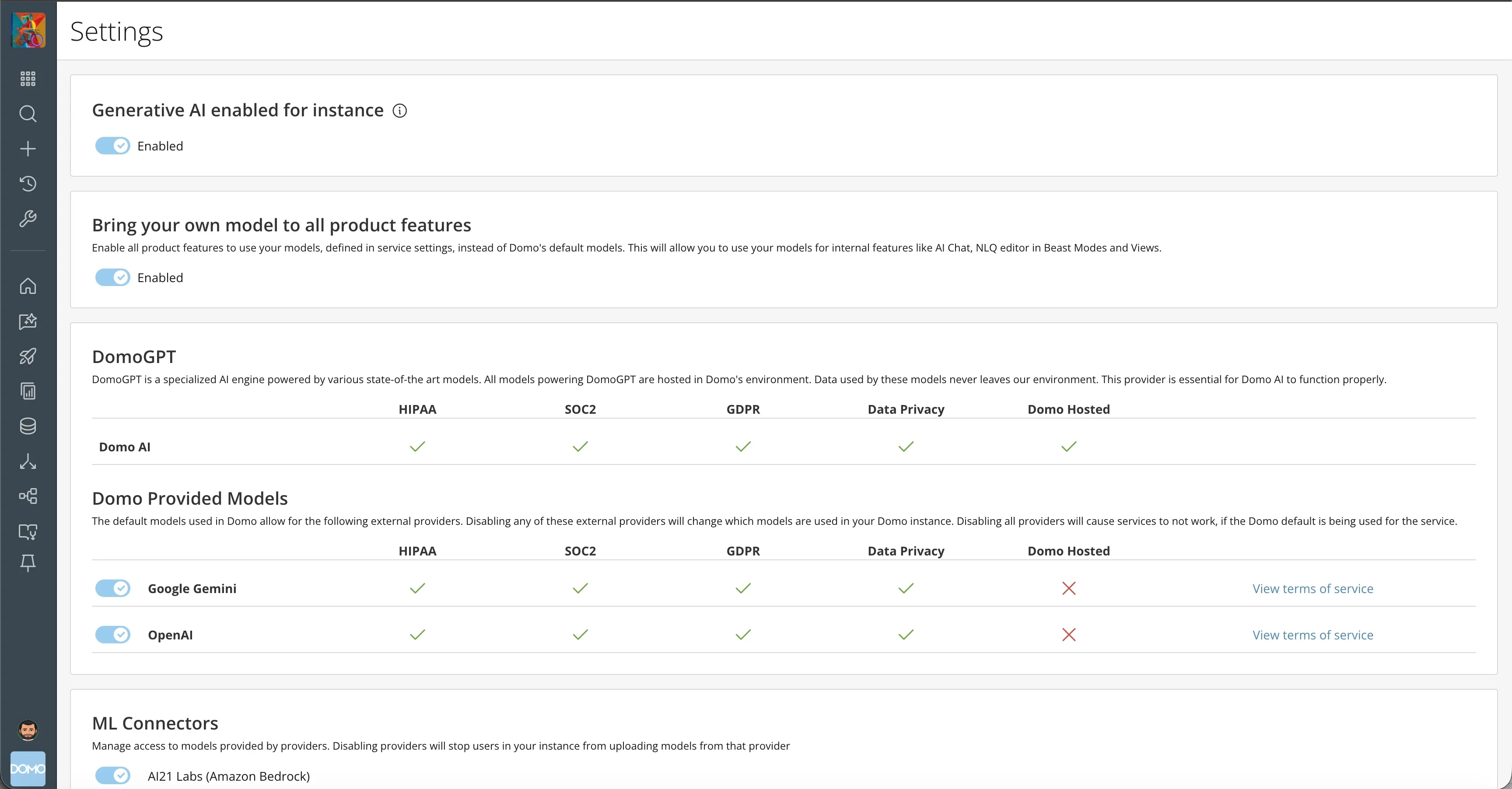
Enable or disable generative AI instance-wide. Turning off generative AI in your instance disables any feature that uses generative AI models, such as AI Chat and the NLQ editor in Beast Modes and Views.
Bring Your Own Model to All Product Features
Enable all product features to use your models, defined in service settings, instead of Domo’s default models. This allows you to use your models for internal features such as AI Chat and the NLQ editor in Beast Modes and Views.
DomoGPT
DomoGPT is a specialized AI engine powered by various state-of-the-art models. All models powering DomoGPT are hosted in Domo’s environment, and data used by these models never leaves Domo’s environment. This provider is essential for Domo AI to function properly.
Domo Provided Models
The default models used in Domo allow for the following external providers. Disabling any of these external providers changes which models are used in your Domo instance. Disabling all providers causes services to stop working if the Domo default is being used for the service.
ML Connectors
Manage access to models provided by providers. Disabling a provider stops users in your instance from uploading models from that provider.Last modified on May 29, 2026