

Intro
Domo has a new streamlined Federated connection setup experience for cloud native data warehouses, starting exclusively with Snowflake. You can directly setup a Snowflake connected account from Domo’s Data Center experience and use that to create Federated DataSets from your Snowflake database tables.Prerequisites
To connect to your data in your Snowflake data warehouse, you need standard connection parameters such as your Snowflake account name, warehouses, databases to connect to, and the username/password. In general, you can start with a small-sized warehouse, however, we recommend a multi-cluster configuration which allows Snowflake to auto-scale to additional warehouses as needed to support your query volume.Setup Process
Add a New Data Warehouse
In Domo’s data warehouse platter visualization, select + Add New Data Warehouse.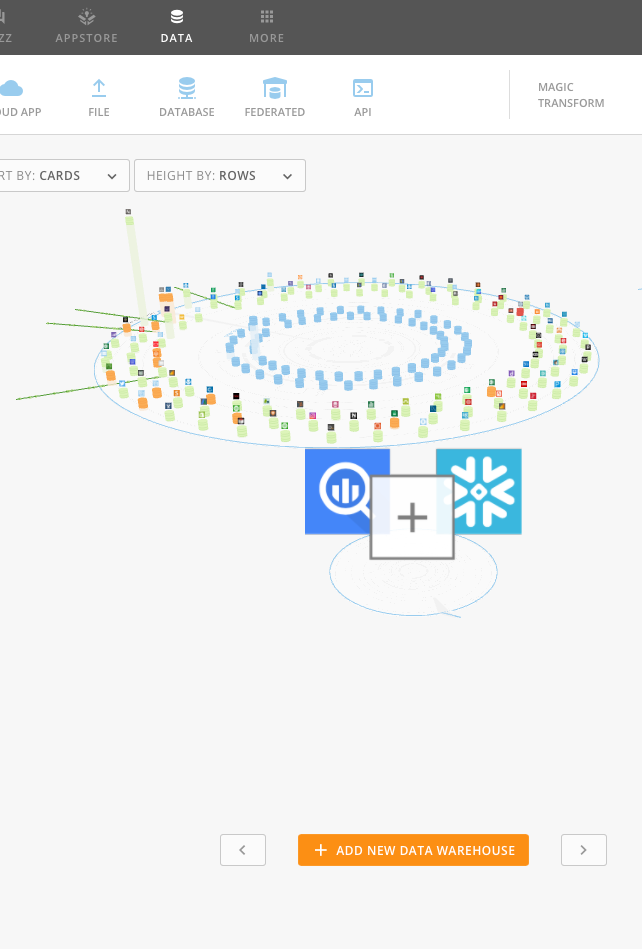
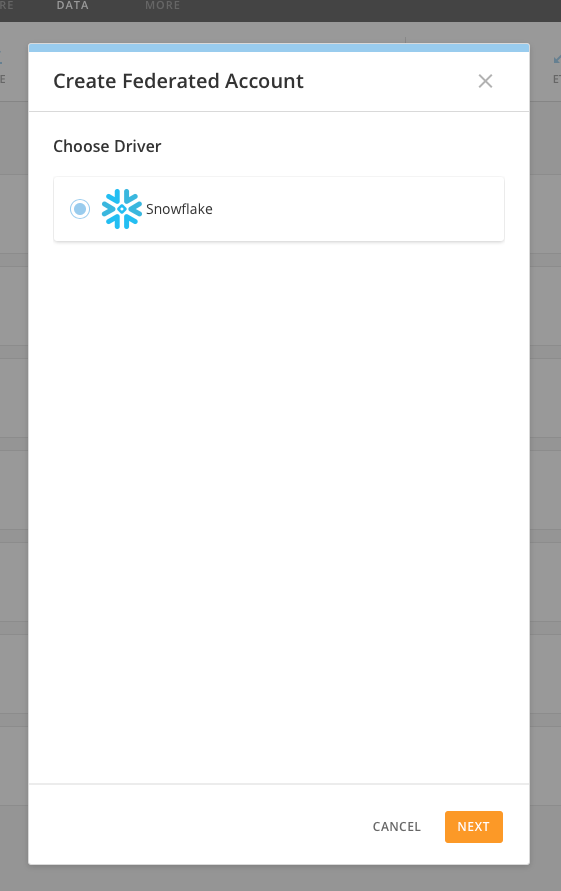
Enter Your Connection Parameters
Enter the connection parameters specific to the Snowflake database you need to connect to. The following fields are required: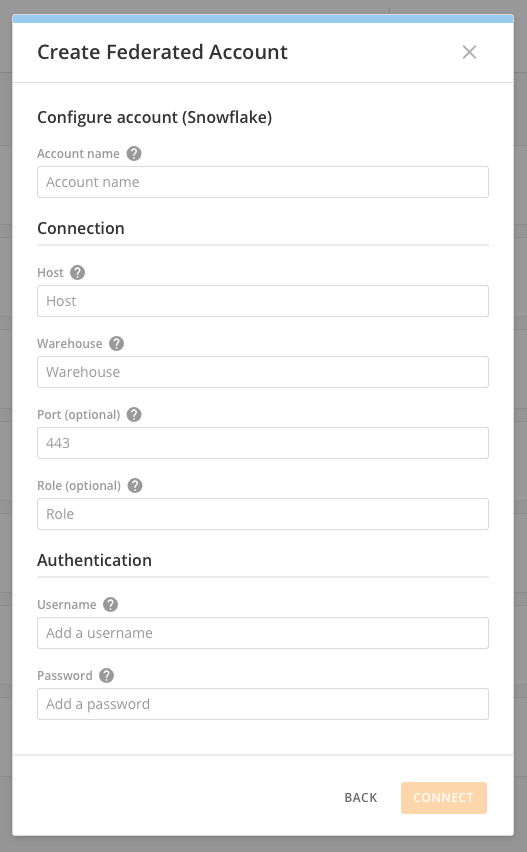
- Account Name (to reference within Domo).
- Host – This is the Snowflake account name for your Snowflake account. Note that your full account name may include additional segments that identify the region and the cloud service provider where your Snowflake account is hosted, e.g. xyz1234.us-east-1, xyz1234.west-europe.azure, etc. You need to provide your full hostname, e.g. yourcompany.snowflakecomputing.com
- Warehouse – Existing Snowflake warehouse you want to use to send queries from Domo. We recommend setting a warehouse specific to Domo.
- Username – Snowflake username you want to connect with. We recommend creating a new user in your Snowflake account specifically to service Federated queries from Domo.
- Password – Password for your username.
- Role and Port are optional depending on your Snowflake account setup.
Start a New Federated DataSet
To create a new Federated DataSet, select Federated in the connect data section of the header in the Data Center.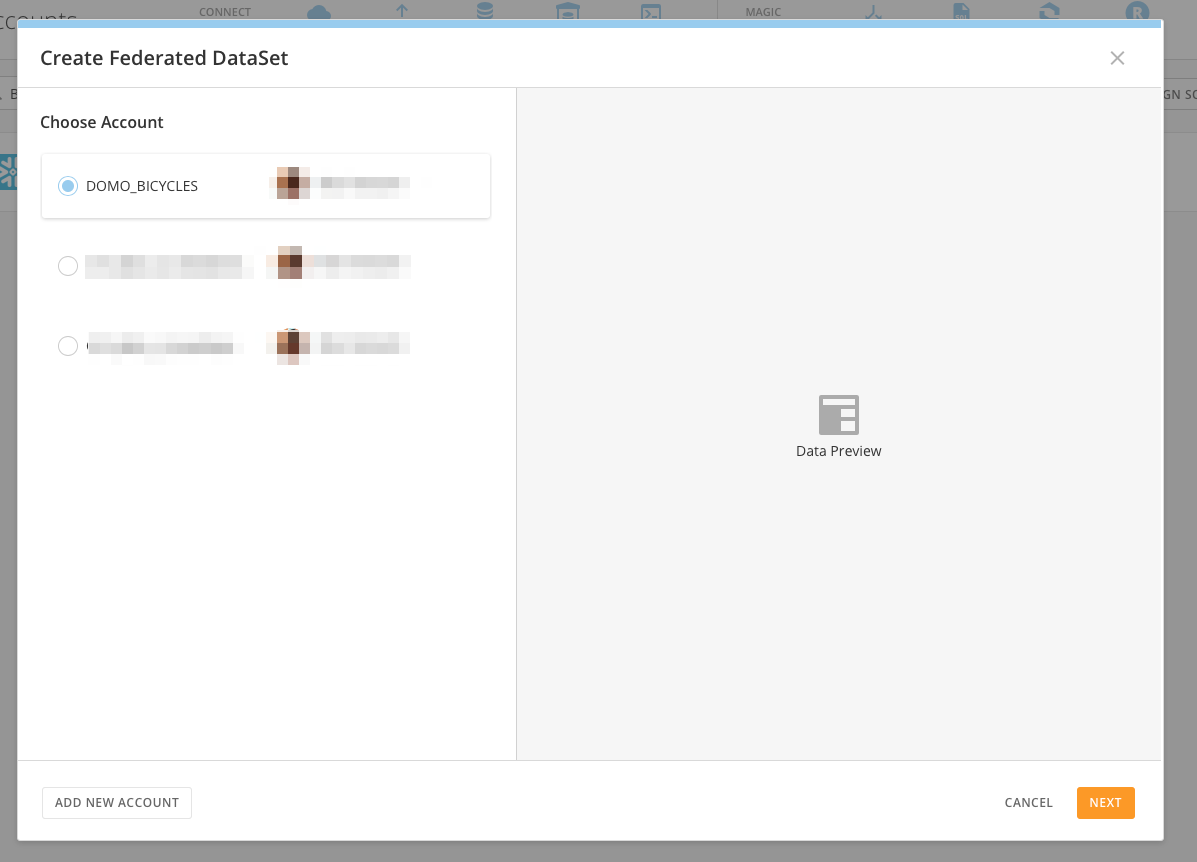
Choose a Database and Table
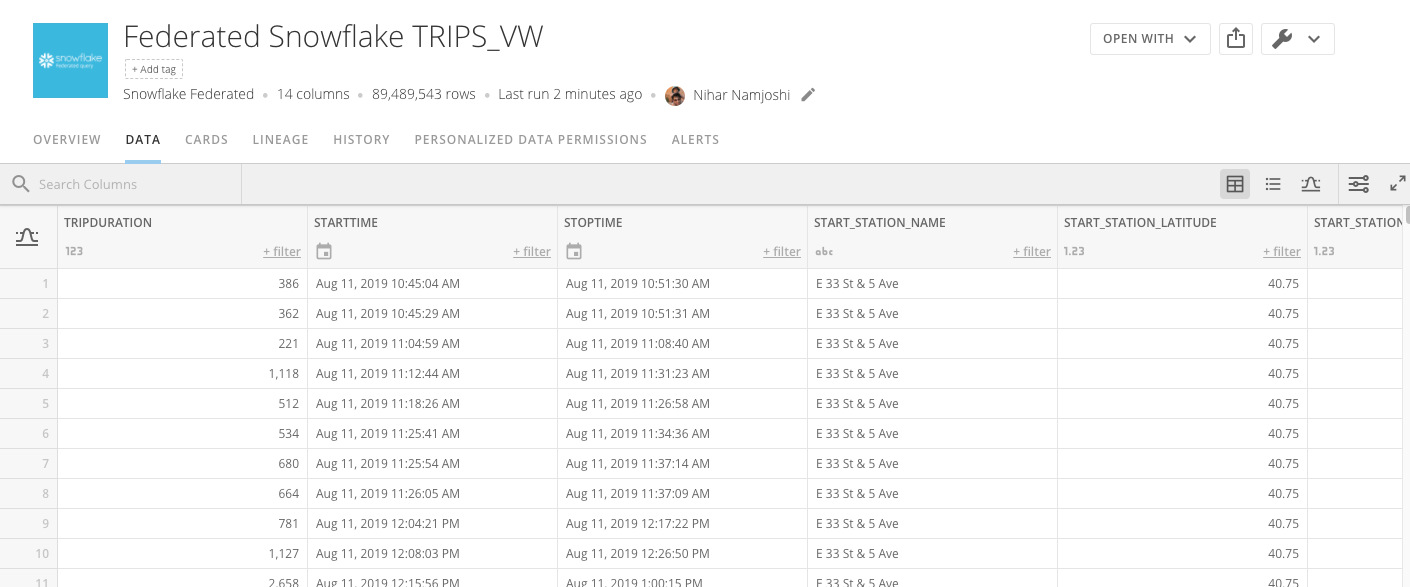
From the list of available databases in Snowflake, choose the database and the specific table you want to create the Federated DataSet from. The pane on the right shows a preview of the data from your Snowflake table.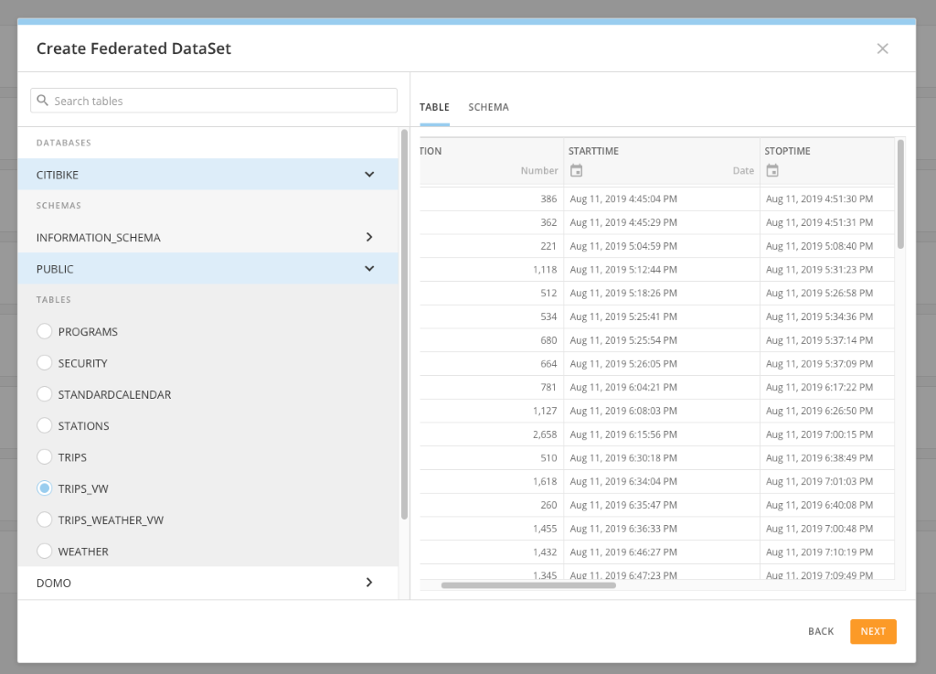
Name and Create the DataSet
Enter the name for the DataSet (how you want to reference it in Domo). You can optionally select a TTL for the cache. The default TTL value for cache is recommended at 900 seconds (15 minutes). If your Snowflake database table is expected to update faster than 15 minutes, you can choose a lower TTL.On the preview pane on the right, you can also toggle between viewing a preview of the data or viewing the schema of the table being used. Select Create to complete your Domo Federated DataSet creation.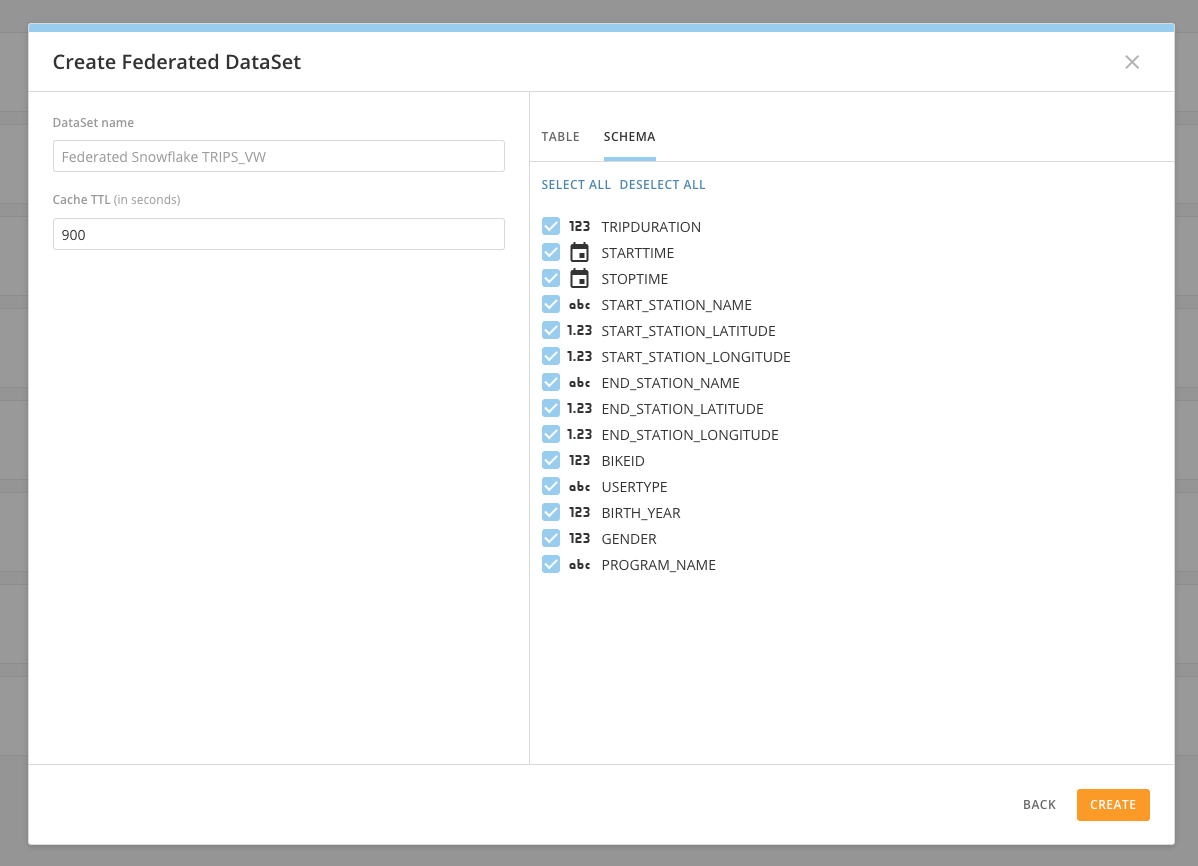
FAQ
What connection mechanism is Domo using for the Snowflake Federated direct queries?
What connection mechanism is Domo using for the Snowflake Federated direct queries?
Domo uses native Snowflake connectivity to query data from your Snowflake tables.
Can Domo's Connectors be used to bring data into the Snowflake warehouse?
Can Domo's Connectors be used to bring data into the Snowflake warehouse?
You can bring data into Domo by using Domo’s 1000+ Connectors supporting various sources. Once your data is in Domo, and transformed as needed, you can use Domo’s Snowflake Write-Back connector to push data into your Snowflake warehouse. Write-Back connectors are part of Domo’s Integration Studio suite. More information on setting up Snowflake Write-Back connector can be found here.
Is there a limit on how many Snowflake Federated accounts and DataSets you can create?
Is there a limit on how many Snowflake Federated accounts and DataSets you can create?
Specific limits on accounts and DataSets depend on your account tier. Please contact your CSM or AE for more details.
What is the warehouse sizing guidance for using Domo Federated queries for Snowflake?
What is the warehouse sizing guidance for using Domo Federated queries for Snowflake?
Warehouse sizing depends on how many DataSets, Dashboards, and Visualizations you have in Domo. At a minimum, we recommend a medium sized warehouse (M), and Auto Resume set to ON. For the best Domo and Snowflake experience, we recommend using a Large Snowflake warehouse (L). If you want to Auto suspend your warehouse during periods of inactivity, you can set that as needed. Domo can help you with sizing your Snowflake warehouses as your Domo usage changes.
Do Alerts work with federated data?
Do Alerts work with federated data?
Alerts are supported for Domo Cards built from Federated DataSets. However, DataSet Alerts are not supported currently.
Does Domo's DataSet Views Explorer work on Snowflake Federated DataSets?
Does Domo's DataSet Views Explorer work on Snowflake Federated DataSets?
Yes, Domo’s interactive, easy to use DataSet views feature can be used to explore Snowflake Federated DataSets. You can filter, group, limit, sort, and join DataSets, as well as create new calculated columns and save your transformation as new DataSet Views. These DataSet Views are virtual in Domo, and do not create Views in the customer Snowflake cata warehouse.
Can Domo's ETL and SQL tools be used to transform federated DataSets?
Can Domo's ETL and SQL tools be used to transform federated DataSets?
No, currently this isn’t supported, but we would love to understand your use case. Please reach out via your CSM or AE to talk to Domo’s product team.
What does the last run time on a Snowflake Federated DataSet represent?
What does the last run time on a Snowflake Federated DataSet represent?
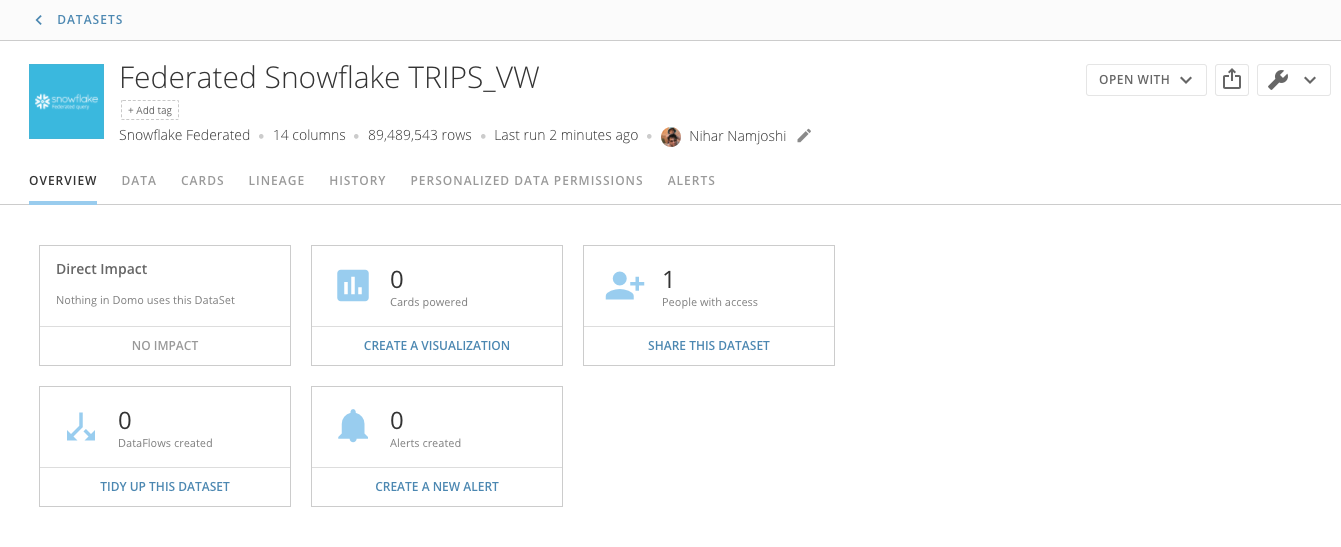
The “last run” time on a Snowflake Federated DataSet indicates the last time the schema was changed. Often this is when the DataSet was created. But if you edit the schema, the “last run” value updates.
What is the timeout for loading data from Snowflake?
What is the timeout for loading data from Snowflake?
Viewing data on-screen and exporting data are subject to different timeouts within Domo. These timeouts only apply to the Domo side of the action and are not issued to Snowflake. However, Domo does respect the Snowflake session timeout.Examples:
- If a card cannot be rendered within the Domo timeout, an error message is displayed on-screen, but the Snowflake query is not canceled. That query is then subject to the timeout defined in Snowflake.
- If a card cannot be rendered within the Snowflake timeout, and that timeout is less than the Domo timeout, an error message is displayed on-screen and the query is canceled (from the Snowflake side).
- Cards will attempt to render on-screen for up to 1-minute.
- Exports, both from cards and DataSets, will attempt to export for up to 12-hours.