Email User Task - Workflows
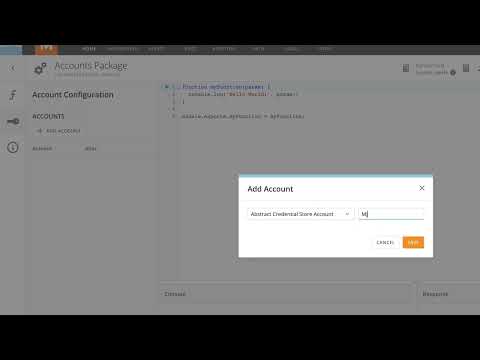
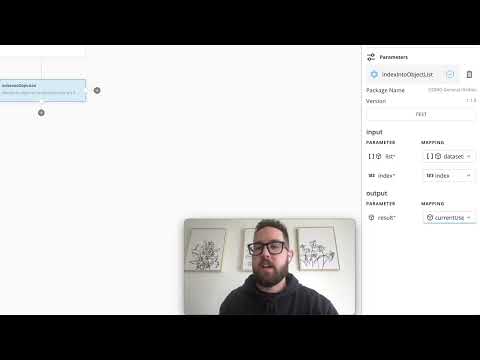
Do you have steps in your workflow where you need a "human in the loop" to provide guidance on what the workflow should do, or provide some other type of input? User tasks are frequently used for approvals and other such things, and the email user task is a great way to get a simple response back from people. In this video we will cover how you can use the Email User Task to present a list of choices to your user and capture their response via email.
Next video:
Suggested videos:
00:00
Choosing Chart Types
00:00
DomoStats - People App
00:00
Cancel a DataSet Import
00:00
Intro to Beast Mode
00:00
SafeWorker App
00:00
DataSet Sharing
00:00
Videos in Doc Cards
00:00
Page Filters for Mobile
00:00
Activity Log Overview
00:00
Domo Notebook Cards
00:00
Opportunity Center App
00:00
Publication Groups
00:00
Adding New Users to Domo
00:00
Domo's R SDK Overview
00:00
Bulk Import Users
00:00
Appstore: Column Mapping
00:00
Data Types - Workflows
00:00
MySQL DataFlow Overview
00:00
Domo Language Settings
00:00
Help Center Overview
00:00
File Upload Connector
00:00
Managing Pages
00:00
Role Management
00:00
The DomoU Knowledge Base
00:00
Sample Data Connector
00:00
Social User Overview
00:00
Domo Word Plugin
00:00
Adding Color Rules
00:00
Cancel a DataFlow
00:00
Fixed Functions
00:00
Domo Excel Plugin
00:00
Creating a Slideshow
00:00
Domo PowerPoint Plugin
00:00
Appstore Publishing
00:00
Graphing by Day of Week
00:00
OpenID Connect (SSO)
00:00
Exporting a DataSet
00:00
Personalizing Pages
00:00
Excel to Domo Matrix
00:00
How to Certify a Card
00:00
"Save As" for Pages
00:00
Story Presentation Mode
00:00
Embed a Domo Card
00:00
Magic ETL Overview
00:00
Sharing a Card
00:00
Domo Everywhere Workshop
00:00
Creating a Custom Sort
00:00
MySQL Version Control
00:00
Sharing a Page
00:00
Webforms Overview
00:00
Data Center Overview
00:00
Business-in-a-Box
00:00
Beast Mode Manager
00:00
Custom Maps and Charts
00:00
Sharing a Filtered Card
00:00
Map Charts
00:00
What is a Domo Card?
00:00
Custom Map Regions
00:00
Analyzer Card Filtering
00:00
Filter Chart Types
00:00
Building a Calendar Card
00:00
Dashboards Overview
00:00
Dynamic Scale Markers
00:00
Smart Text Overview
00:00
Building a Bullet Chart
00:00
Custom Table Sizing
00:00
Scheduler Overview
00:00
Campaigns Overview
00:00
Domo Everywhere
00:00
Security & Governance
00:00
Intelligent Apps
00:00
BI & Analytics
00:00
Data Integration
00:00
Governor’s App
00:00
PPE Management App
00:00
Admin Overview
00:00
Using Drill Paths
00:00
Workbench 5 Overview
00:00
Alerts Overview
00:00
Domo Mobile Overview
00:00
Introducing Connectors
00:00
CourseBuilder Overview
00:00
Domo Mobile - Home
00:00
Different Types of Joins
00:00
Alert Actions Overview
00:00
The Domo Master
00:00
Domo APIs
00:00
Append and Join Data
00:00
Filtering Cards
00:00
Connectors Overview
00:00
Domo Interface - Profile
00:00
Resize & Rearrange Cards
00:00
Evolution Scenarios
00:00
Using DataSet Alerts
00:00
Send Emails to Buzz
00:00
Case Statement Overview
00:00
Buzz Overview
00:00
Reordering a Drillpath
00:00
Sharing Alerts
00:00
Domo Mobile - Alerts
00:00
The Team Champion
00:00
Domo Mobile - People
00:00
User Access Rights
00:00
ODBC Domo Data Driver
00:00
Google Sheets Add-On
00:00
Installing Workbench 5.1
00:00
Support Portal Overview
00:00
SQL Explain Plans
00:00
Domo Mobile - Widgets